Claire Choi
← Back to work
UX Case Study | Web Design
Simplifying how millions find their next stay.
Restructured Booking.com's information architecture to reduce cognitive load — cutting booking time by 35% and improving conversion.
UX/UI Design
IA Restructure
Web · Desktop
Role
Solo UX/UI Designer
Tools
Figma · Webflow
Duration
1-week sprint
Type
Redesign concept
01. problem & opportunity
Too many choices, too little clarity.
Problem
The booking overload
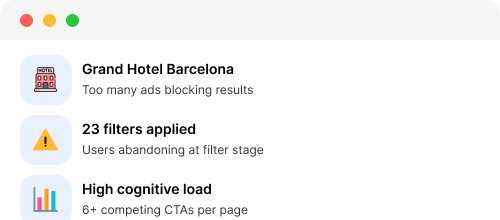
Booking.com's existing interface overwhelms users with too many options at once — filters, ads, and competing CTAs create decision paralysis before a single hotel is clicked.
Opportunity
From browsing to booking
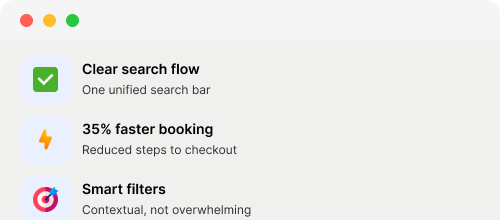
By restructuring the IA and reducing visual noise, users can focus on what matters — finding the right place, faster. Streamlined flow means higher conversion at every step.
02. Project goals

Strategic Foundation

👤

User Goals

Find the right hotel quickly without feeling overwhelmed

Trust that the results shown are relevant to them personally

Get personalised recommendations without having to manually filter through hundreds of options

📈

Business Goals

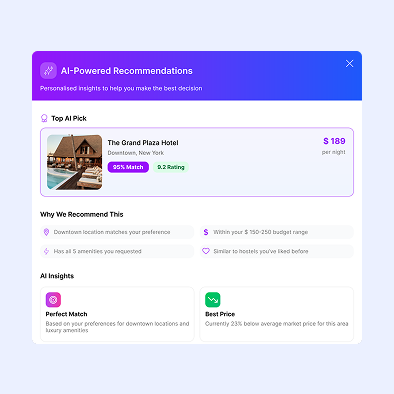
Drive adoption of the AI Recommendations feature — a key differentiator vs competitors

Build user trust in AI-powered suggestions to encourage repeat bookings

Increase booking conversion rate — fewer drop-offs at the search and results stage

03. research methodology
Understanding the user's reality.
Competitive analysis across 4 major booking platforms — focusing on search UX, filter systems, and personalisation.
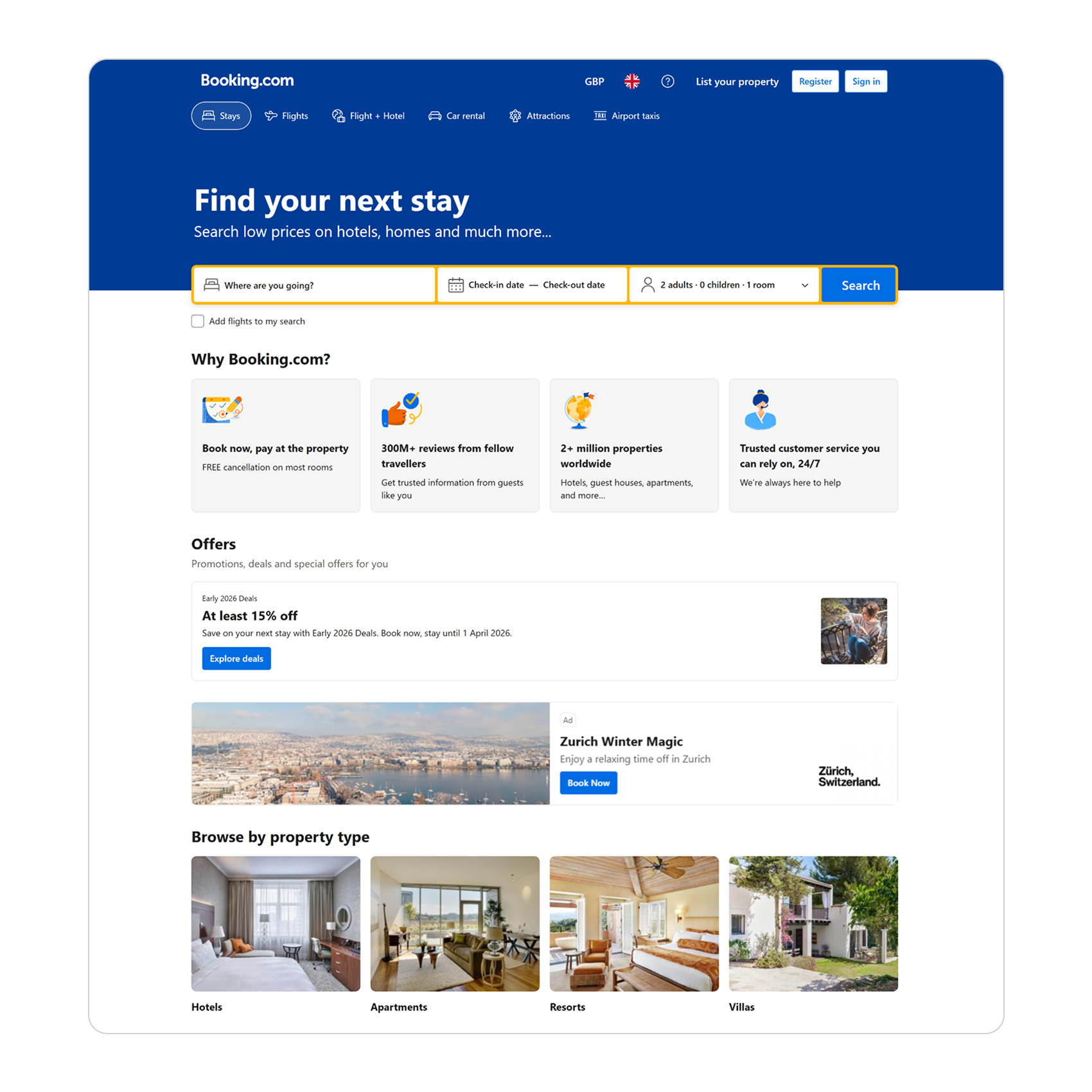
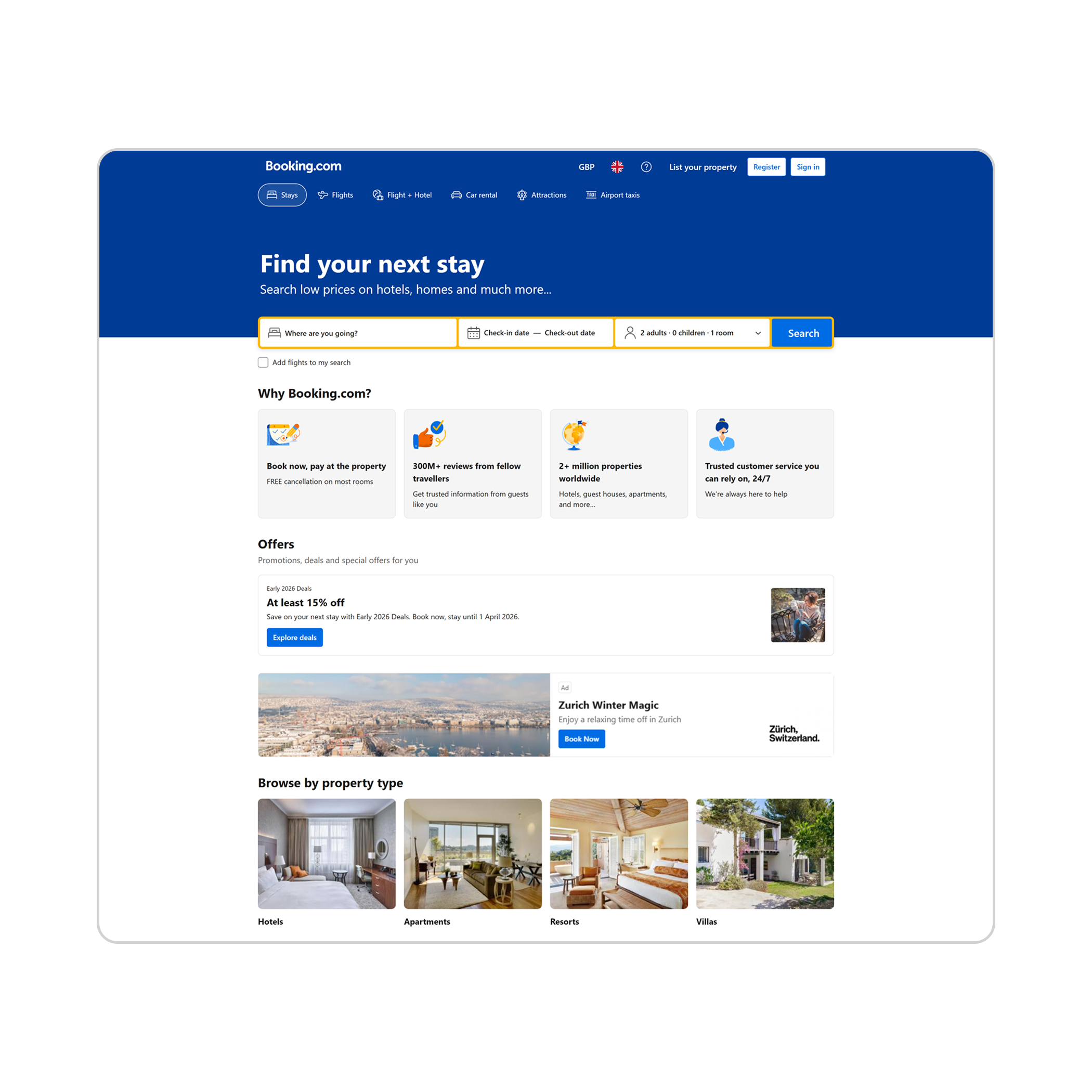
Booking.com
Fliter overload
Sponsored ads
No AI
23+ filters shown upfront. Sponsored results mixed in. No personalisation.
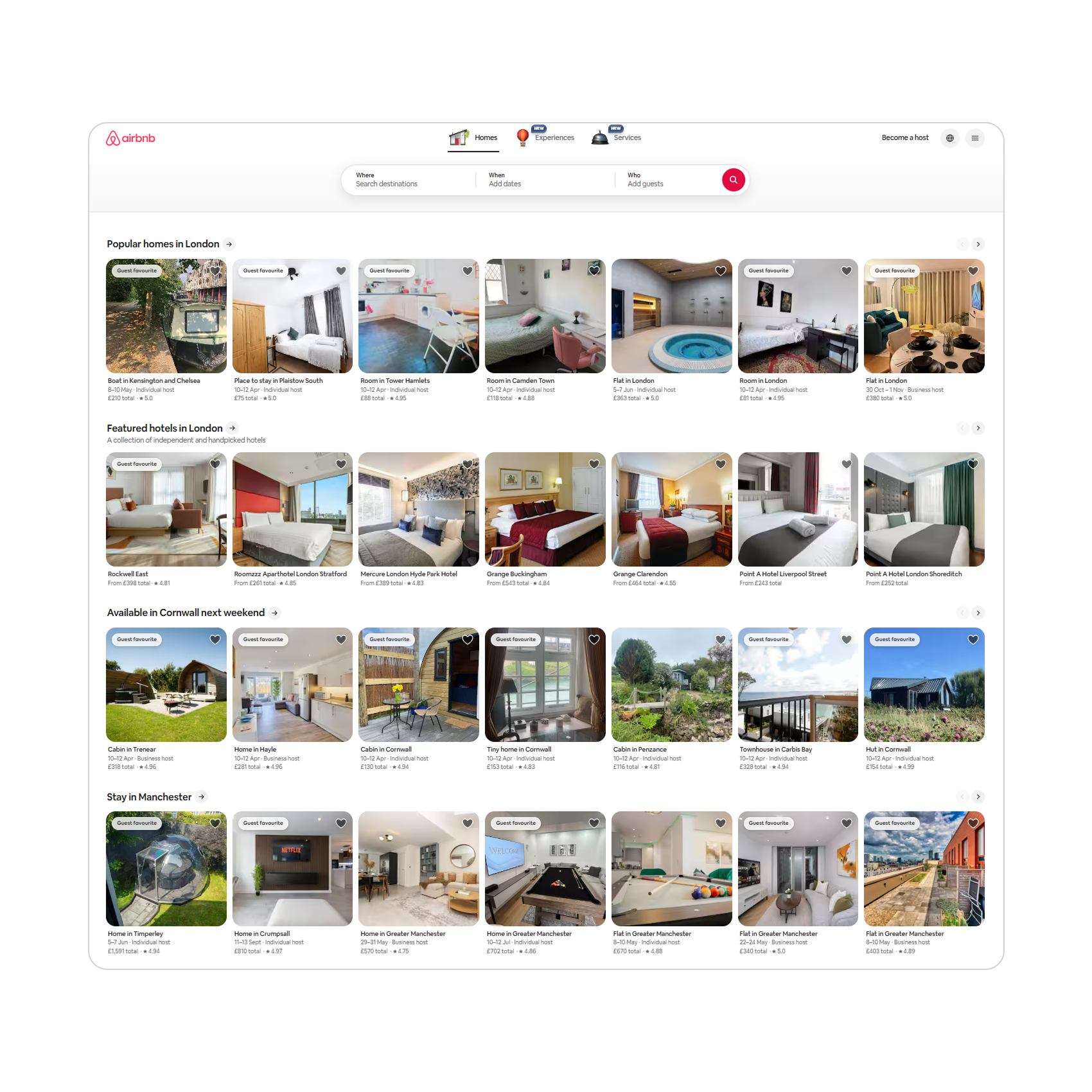
Airbnb
Category filters
Clean cards
No AI recs
Progressive filter disclosure. Visual-first cards. Strong category UX.
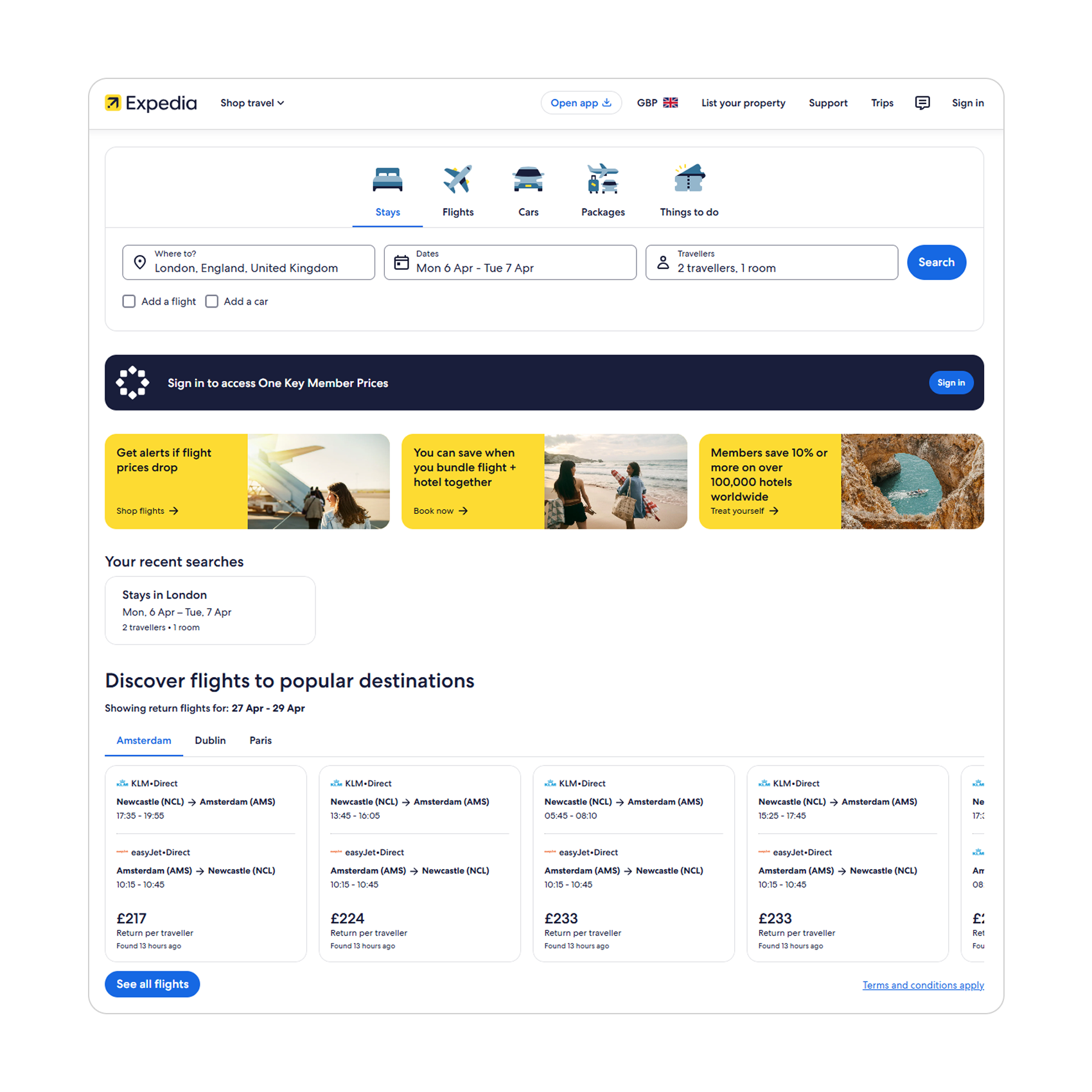
Expedia
Personalised recs
Personalised recs
Complex UI
"Based on your history" recommendations. Strong bundling but cluttered UI.
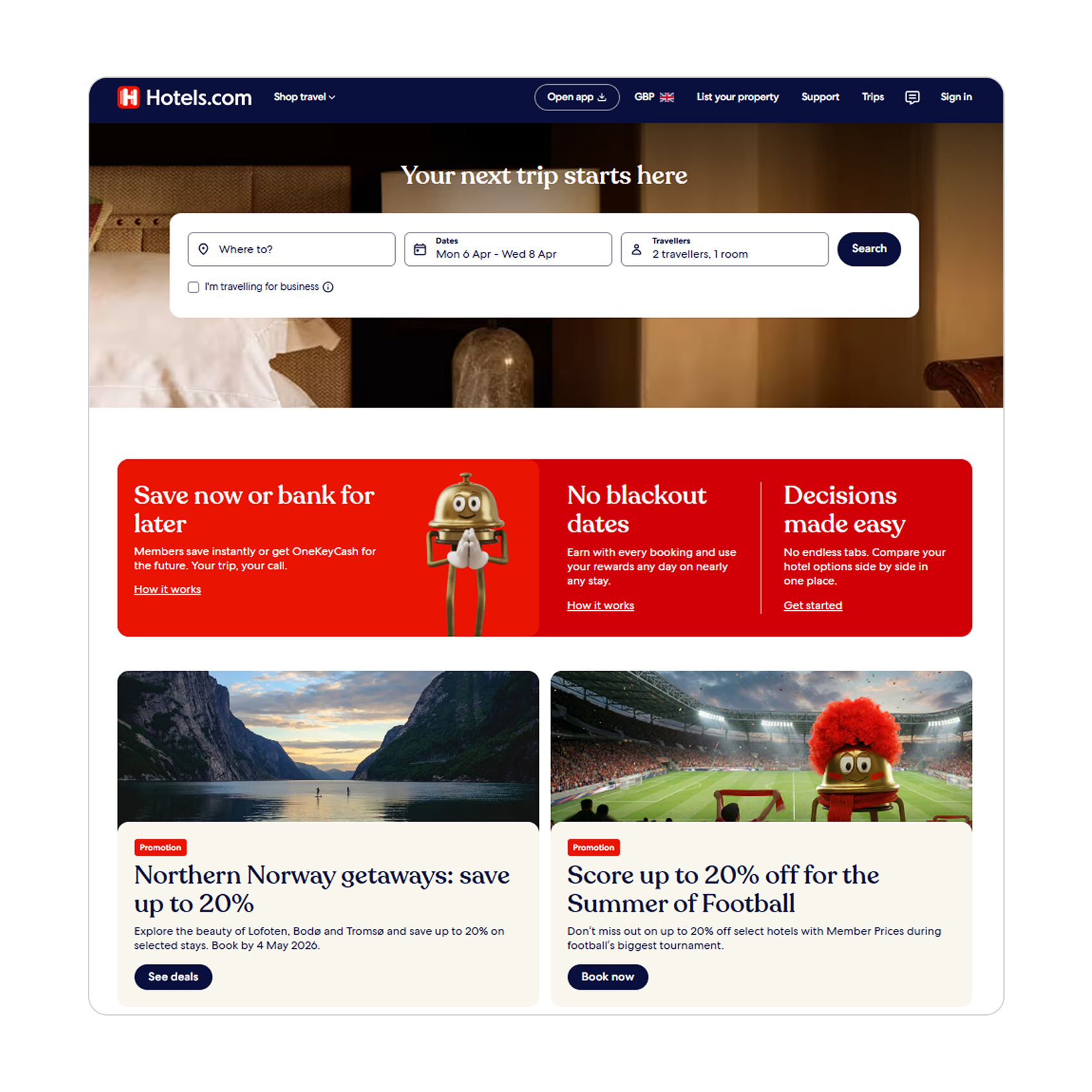
Hotels.com
Loyalty rewards
Price focus
Outdated UI
Strong loyalty programme but dated interface. Price-first, experience-last.
Key findings
01
Filter overload kills decisions
Booking.com shows the most filters upfront — competitors use progressive disclosure to reduce overwhelm.
02
Personalisation is the gap
Expedia shows "based on your history" — Booking.com treats every user the same. A clear opportunity for AI.
03
Visual clarity drives trust
Airbnb's card design puts photo, price, and rating first. Booking.com buries key info behind sponsored results.
04. Design process
How I got to the answer.
Before → After
✕ Before — Cluttered & generic
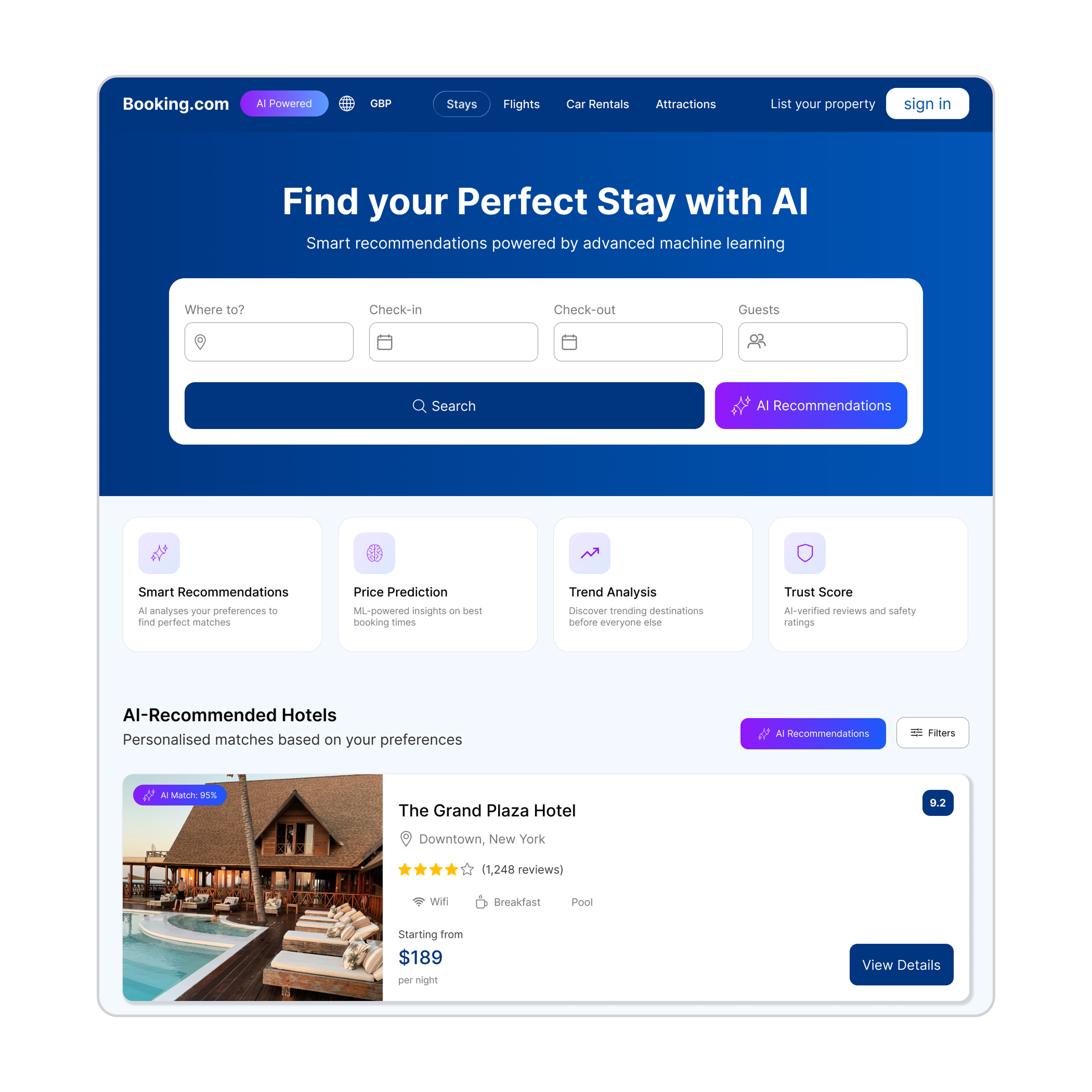
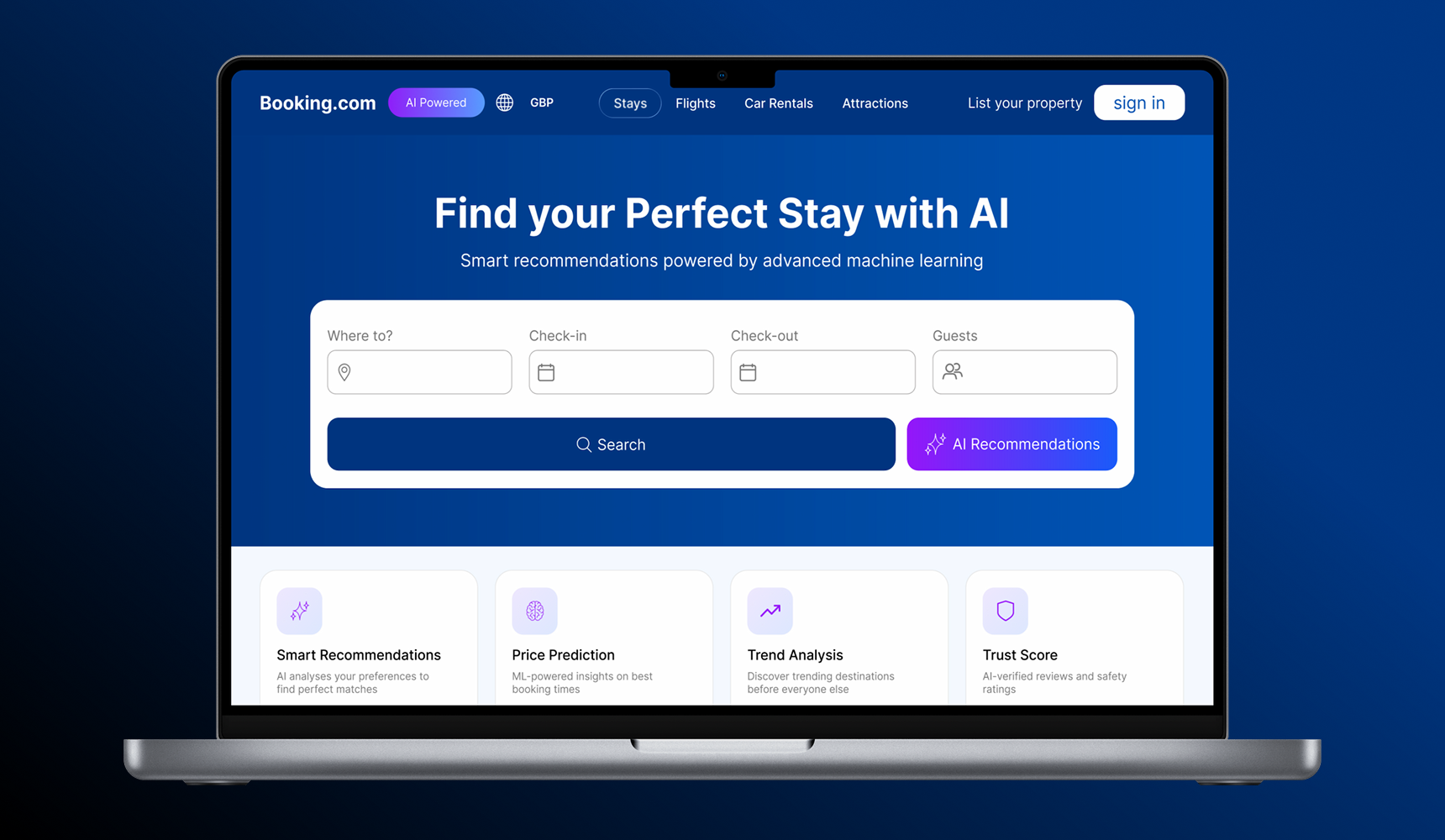
✓ After — AI-powered & clear
process
Step 1
Wireframe & IA mapping
Mapped the full booking flow to identify where AI could reduce steps — from search to checkout.
View full project →
Step 2
AI feature mapping
Defined which AI features would have the highest impact — match scores, price forecasting, and smart pop-ups.
View full project →
Step 3
High-fidelity AI design
Built the AI recommendation panel, match score system, and price forecast UI — all designed to reduce cognitive load.
View full project →
05. testing
Test. Learn. Repeat.
Round 1 - Usability Test
8
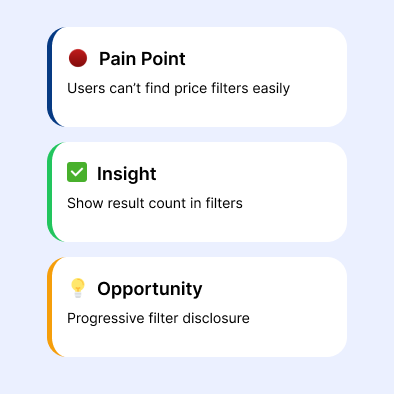
Pain Points: Cluttered filter panel

The first iteration surfaced 8 major usability issues — most centred around the filter panel overwhelming users before they'd even seen results. Participants consistently skipped filters entirely.

Round 2 - Refined Prototype
35%
Faster booking time achieved

After restructuring the IA and simplifying the filter hierarchy, task completion improved dramatically. Users found their hotel and reached checkout 35% faster than with the original interface.

06. expected result & impact
Measuring Success
Efficiency
↑35%
Reduction in time-to-booking through IA restructuring and page integration
Cognitive load
↓40%
Fewer competing CTAs and cleaner visual hierarchy across all pages
Accessibility
AA
WCAG 2.1 compliant contrast ratios and touch targets throughout
07. reflection

What I'd do differently.

⚡ Challenge

Booking.com's scale made it hard to know where to start. The sheer volume of features meant every design decision had downstream consequences on other parts of the flow.

💡 What I learned

IA is everything. Visual polish means nothing if users can't find what they're looking for. Solving navigation and hierarchy first made every other design decision easier.

🛠️ Do differently

I'd involve real users earlier in the process — particularly at the wireframe stage — rather than waiting until a polished prototype was ready to test with.

Let's work together
Got a project in mind?
I design digital products and experiences. Currently based in the United Kingdom.